The role of Lighting Designer is to use the Technical elements of theatre lights and their Artistic nature to create theatre lighting that assists the Director, actors, and scenic designer to paint a living picture on the stage, that influences the audience in interpreting the time, place, atmosphere and mood of the action happening on the stage.
You need to be aware of the Technical elements of theatre lighting, whch include knowing the properties of a theatre light, such as Beam Width, Intensity, Colour andFocus. You need to be aware of how to safely rig theatre lights, so you can place them as close as practicable to their ideal position so that the direction of the beam is lighting the stage at the desired area. This allows you to reveal and hide stage areas.
The Artistic side of stage lighting is making use of the properties of Direction, Intensity, Shape,Colour and Movement to provide visibility on the stage so the audience sees what the director wants them to see. The use of these five elements can set the mood, atmosphere, time and place so the audience is transported into the desired location of the production.
It is the lighting designers personal instinct and experience with theatre lighting that allows them to choose which lights to use, which colours to use, which areas are lit, which areas to leave in shadow or darkness, how long a fade time for the light intensity to increase or decrease or when colours change hues. Most of these decisions are done in conjunction and consultation with the other members of the production team that are looking after sets, sound, video, costumes and stage management.
The three bars on the top right are to Exit Light Lab.
Dance Lighting is an amazing virtual resource giving you control over HUE and SATURATION/DIMMER for Cyclorama, Sidelight and Toplight. There are Intensity controls for High Side SL and SR Gobos as well as footlights with dancers in Down Stage, Middle Stage and Up Stage positions. The specials allow you to highlight each dancer individually.
Gobo Lab lets you select which direction the light is coming from. Top of the screen is the audience, so the top centre light will project the gobo onto the actors and the cyclorama behind them. Clicking on the light source brings up a dimmer slider. You can have have more than one gobo on, but one gobo per light.
Color Lab is a virtual McCandless design. Try a cool light from one side, a warm light from the other side and a strong backlight. The top slider control is HUE The middle slider control is SATURATION The bottom slider control is INTENSITY
Virtual Swatch Book is Rosco Color Chart by Color and Number with guidelines on useage.
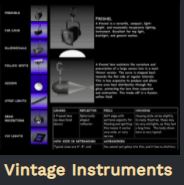
Vintage Instruments gives detailed description and data for conventional lighting . Fresnel has an animation showing how the lens was created. PAR CANS allows you to rotate the oval beam. Ellipsoidals – Profiles in Australia shows focus and shutter operation., beam width change with lens focus. Follow Spots show Iris, Gate, Dowser, Focus. Strip Lights show cyclorama light coverage for distance from the cyclorama. Cyc Lights has a diagram explaining the equal intensity from top to bottom. Use in conjunction with Strip Lights.
ETC Educational Resources https://www.etcconnect.com/Support/Training-Events/Educational-Resources.aspx Stage Lighting Poster Set This series of posters has been designed to supplement the eBook: A Guide for Lighting the Stage. These eye-catching creations complement and reinforce some of the key elements covered in the guide, while providing an attractive display for classroom walls. Objectives of Lighting Design Controllable Properties of Light Lighting Angles Lighting Systems Acting Areas Color Colorsource Fixtures
A Guide for Lighting the Stage eBook This free guide helps educators better understand and explain the basic elements of stage lighting. It is intended to supplement existing teaching materials, providing additional information and relevant product examples to add color to lessons and presentations. The guide covers basic illumination techniques, learning exercises, and more.
You’ve Got a Friend in DMX Booklet This booklet introduces readers to the DMX control protocol with the help of DMX Dave. Intended as a supplement to existing materials, it covers the essentials of how the DMX protocol works, proper wiring methods, examples of DMX systems, the benefits of RDM, and basic troubleshooting.